

AI Document Review
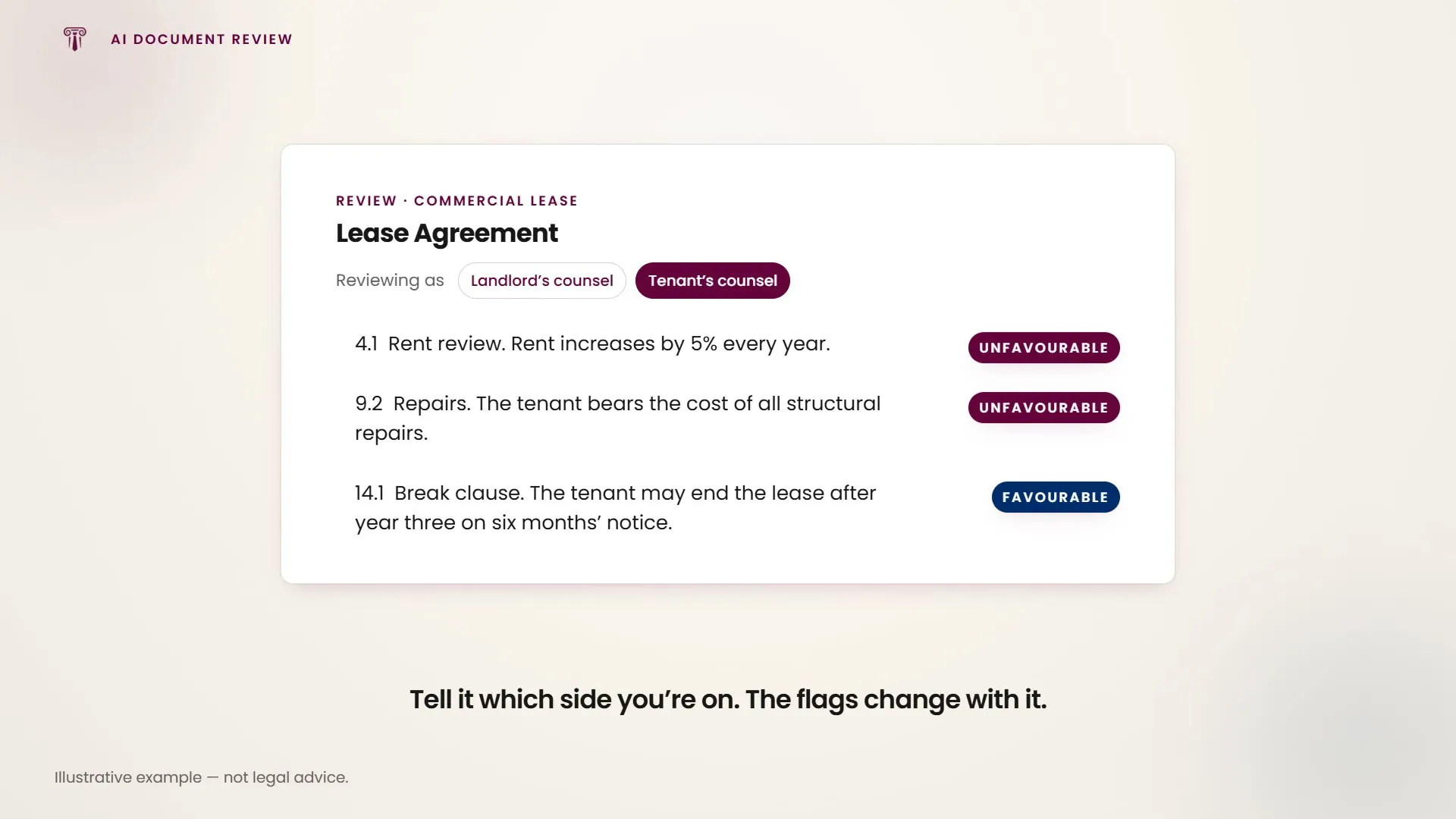
Upload any document and the AI reviews it clause by clause: analysis, risk identification, redline suggestions, improvement recommendations and alternative clause language.
Upload via the paperclip icon in the chat input bar, then describe what you want the review to focus on. Every flagged clause is ranked by risk rather than listed in document order, so the worst problem is the first thing you read.
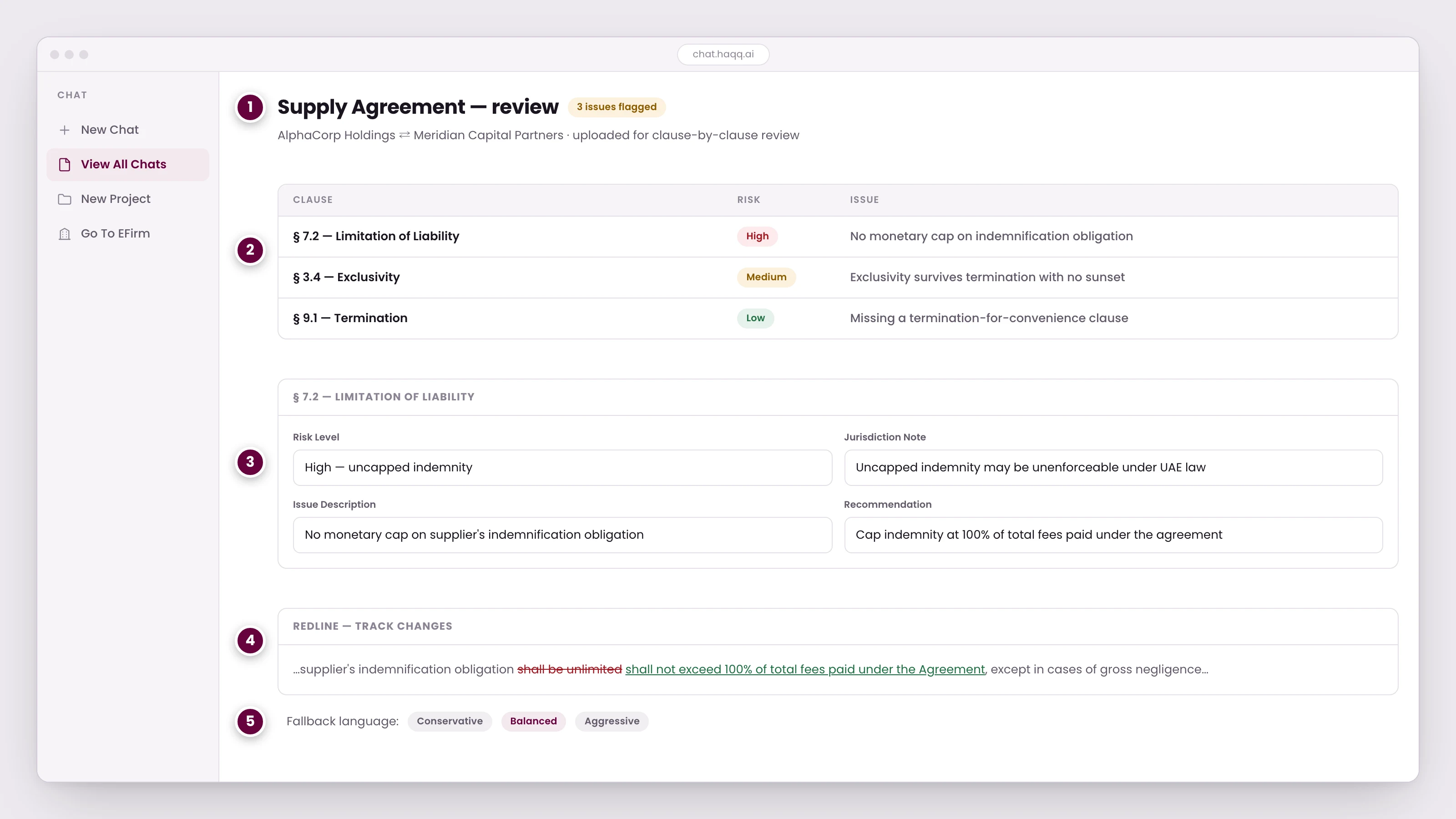
- The document under review, with a count of the issues found across it.
- Every flagged clause, ranked by risk rather than listed in document order, so the worst problem is the first thing you read.
- Open a clause to see the issue, why it matters in this jurisdiction, and what to do about it.
- The suggested redline, shown as tracked changes you can accept, edit or reject.
- Ask for the same change in more or less aggressive language before you send it to the other side.
From first prompt to signed PDF
How to start a document review
- Upload the document. Click the paperclip icon in the chat input bar and select the file (PDF, DOCX or plain text). Multiple files can be uploaded for comparative review.
- Describe your focus. Tell the AI what to look for: liability exposure, IP ownership gaps, non-standard termination clauses, or compliance with a specific regulation.
- Select the AI level. Use the Legal AI Twin level for the most thorough review, because it reaches your eFirm data and trusted legal libraries for cross-referencing.
- Review the output. You get a clause-by-clause analysis with severity ratings (High / Medium / Low), flagged issues and recommended language. Open a clause to see the issue, why it matters in this jurisdiction, and what to do about it.
| Field | Description | Example |
|---|---|---|
| Clause reference | Section / clause number in the original document | § 7.2, Limitation of Liability |
| Risk level | High / Medium / Low severity rating | High, uncapped indemnity |
| Issue description | Plain-language explanation of the risk | No monetary cap on supplier's indemnification obligation |
| Recommendation | Suggested revision or alternative language | Cap indemnity at 100% of total fees paid under the agreement |
| Jurisdiction note | Jurisdiction-specific enforceability comment | UAE courts may void uncapped indemnities under Federal Decree-Law No. 5/2023 |
Worked example: MSA liability review
A client sends you a Master Service Agreement from a US tech vendor. You need to identify every clause that exposes your client to uncapped liability before the next negotiation round.
Upload the MSA, then prompt: “Review this MSA and identify every clause that exposes the client to uncapped liability. Flag severity and suggest capped alternatives.” The AI returns eight flagged clauses with severity ratings and redline suggestions. That is a full risk register in under two minutes, each flagged clause carrying alternative language ready to paste into the redline.
Redlining and track changes
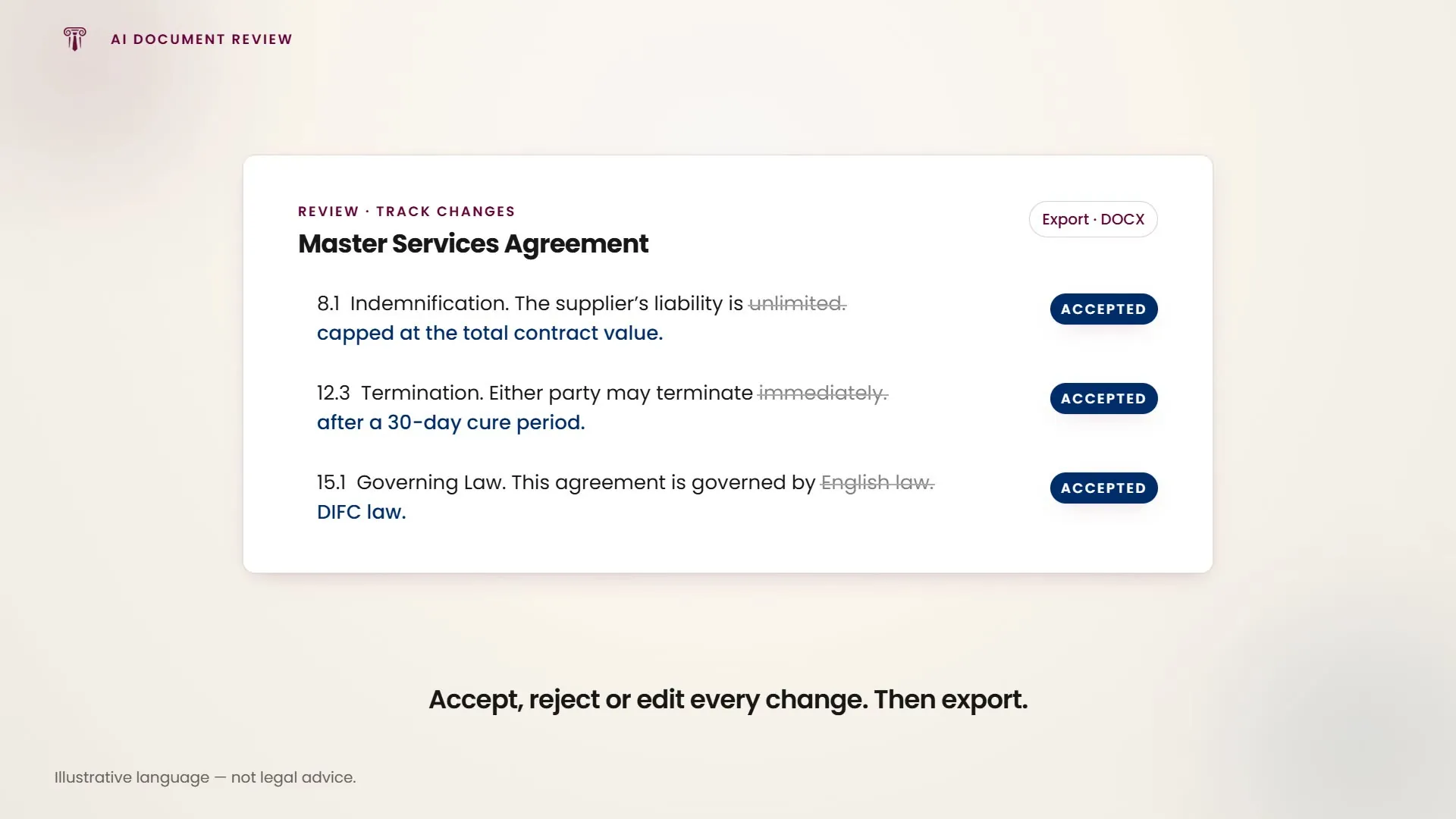
The AI produces redlined versions of documents inside the Canvas editor, with a built-in track changes feature. Changes are shown visually so you can accept or reject each modification individually.
- Upload and prompt. Upload the document and describe the changes: “Cap indemnification at total contract value, change governing law from English to DIFC law, add a 30-day cure period before termination, and delete the non-compete clause.”
- Canvas editor opens. The document opens with all proposed changes visible as tracked changes: additions in green, deletions in red strikethrough.
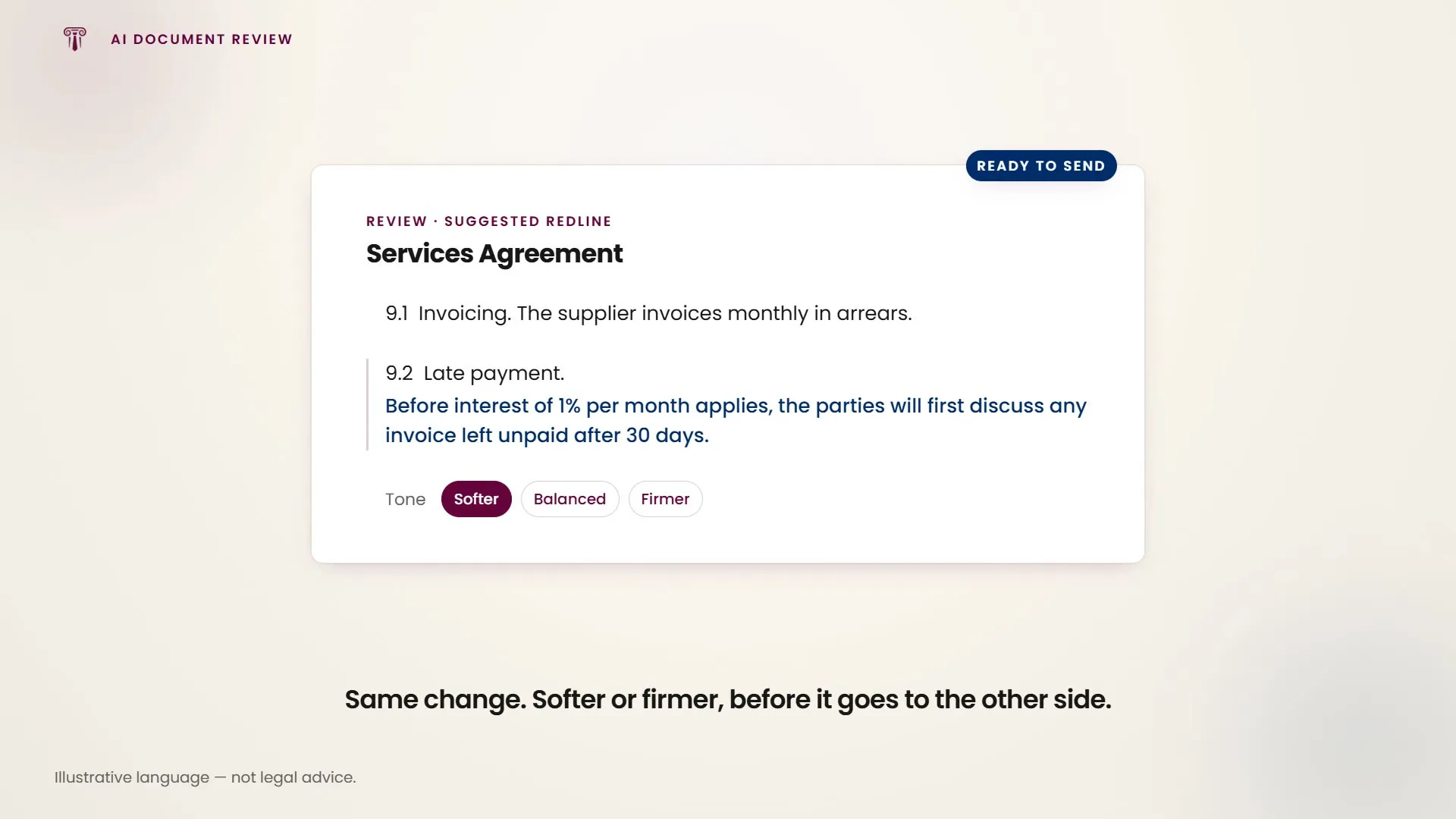
- Accept or reject. Review each change individually. Accept the ones you want, reject the ones you do not. You can also edit the proposed language before accepting it, or ask for the same change in more or less aggressive language before it goes to the other side.
- Export the final version. Export the clean or marked-up version as DOCX or PDF for client delivery or counterparty negotiation.
Number your instructions. When requesting multiple changes in a single prompt, number them (1, 2, 3…). Numbered instructions are processed more accurately than paragraph-form requests.
Fallback language generation
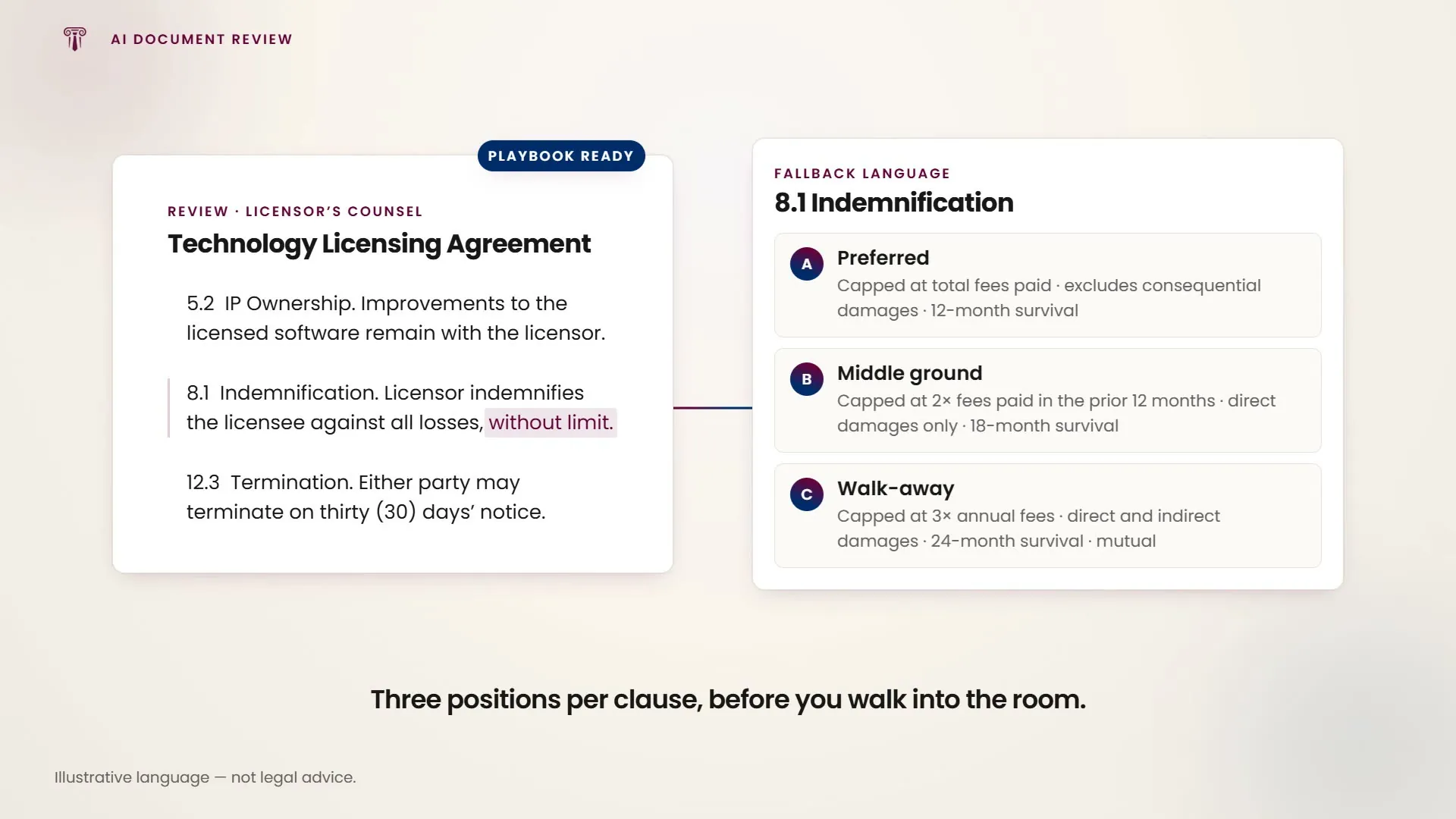
When negotiating a contract, the AI generates alternative clause language for different outcomes. Ask for three levels: your preferred position, a reasonable middle ground, and the minimum acceptable position.
| Level | Strategy | Example (indemnification) |
|---|---|---|
| Position A: preferred | Maximum protection for your client | Indemnification capped at total fees paid; excludes consequential damages; 12-month survival period |
| Position B: middle ground | Balanced risk allocation | Indemnification capped at 2× fees paid in prior 12 months; direct damages only; 18-month survival |
| Position C: walk-away | Minimum acceptable terms | Indemnification capped at 3× annual fees; direct and indirect damages; 24-month survival; mutual indemnification |
Worked example: negotiation preparation
You are about to enter a three-hour negotiation for a technology licensing agreement. Opposing counsel has pushed back on four key clauses.
Upload the agreement, then prompt: “For clauses 5.2 (IP ownership), 8.1 (indemnification), 12.3 (termination) and 14.1 (non-compete), generate 3 levels of fallback language: preferred, middle ground and walk-away position. Frame from the licensor's perspective.” You get twelve alternative clause versions (three per clause) in under three minutes, and walk into the room with a structured playbook instead of drafting on the fly.
Data room review
Process multiple documents from a data room and produce consolidated analysis. Attach five to eight contracts at a time, ask for specific analysis, then consolidate the individual reviews into a single due diligence report.
- Batch upload documents. Attach five to eight contracts at a time via the paperclip icon. Supported formats: PDF, DOCX, plain text.
- Specify the analysis scope. Say what to look for across all documents: change of control provisions, IP ownership clauses, material liabilities, termination risks, or assignment restrictions.
- Review individual analyses. You get a per-document analysis with flagged issues, risk ratings and key terms extracted.
- Request consolidation. Ask for the findings to be consolidated into a single due diligence report with a prioritised risk register and recommended conditions for the SPA.
Reading your filing against the other side's
Review is not only a document on its own. Upload your pleading and opposing counsel's together and the comparison becomes adversarial: which position is better supported, where yours is exposed, and what the other side is relying on that you have not answered.
- Upload both filings. Attach your pleading and the opposing one in the same message, and say which is which. Without that the analysis treats them as two neutral documents rather than two sides.
- Ask which is stronger, and why. Not just a summary. Ask it to weigh the two positions and give reasons. The reasons are what you argue against, and they surface the assumption the other side is resting on.
- Ask where yours is weak. The useful half. Send it looking for your own gaps: unsupported assertions, an argument you raised but never evidenced, a point of theirs you left unanswered.
- Draft the reply from the same thread. Ask for your responsive pleading in the same conversation, so it answers the specific points it just finished analysing instead of arguing in the abstract.
Briefing a matter, not issuing a command
The strongest results come from describing a matter the way you would brief a colleague rather than typing a request. Give it the facts, the posture, and where you are stuck: who the client is, the relevant history, what the other side has done, and what you are trying to achieve. It comes back with the shape of the case and the steps open to you, and you work it from there.
Worked example: briefing a family matter
A client has been married seven years, has two children, and a dispute has arisen with their spouse. You want to know the routes available before advising.
Describe the situation in plain terms (the marriage, the children, the nature of the dispute, and the outcome the client wants), then ask what options exist and what each requires. You get the routes with what each demands in evidence and procedure, and can press on the promising ones. The exchange runs as a discussion rather than a single answer, which is where it behaves less like a search box and more like a second opinion.
Legislative analysis and comparison
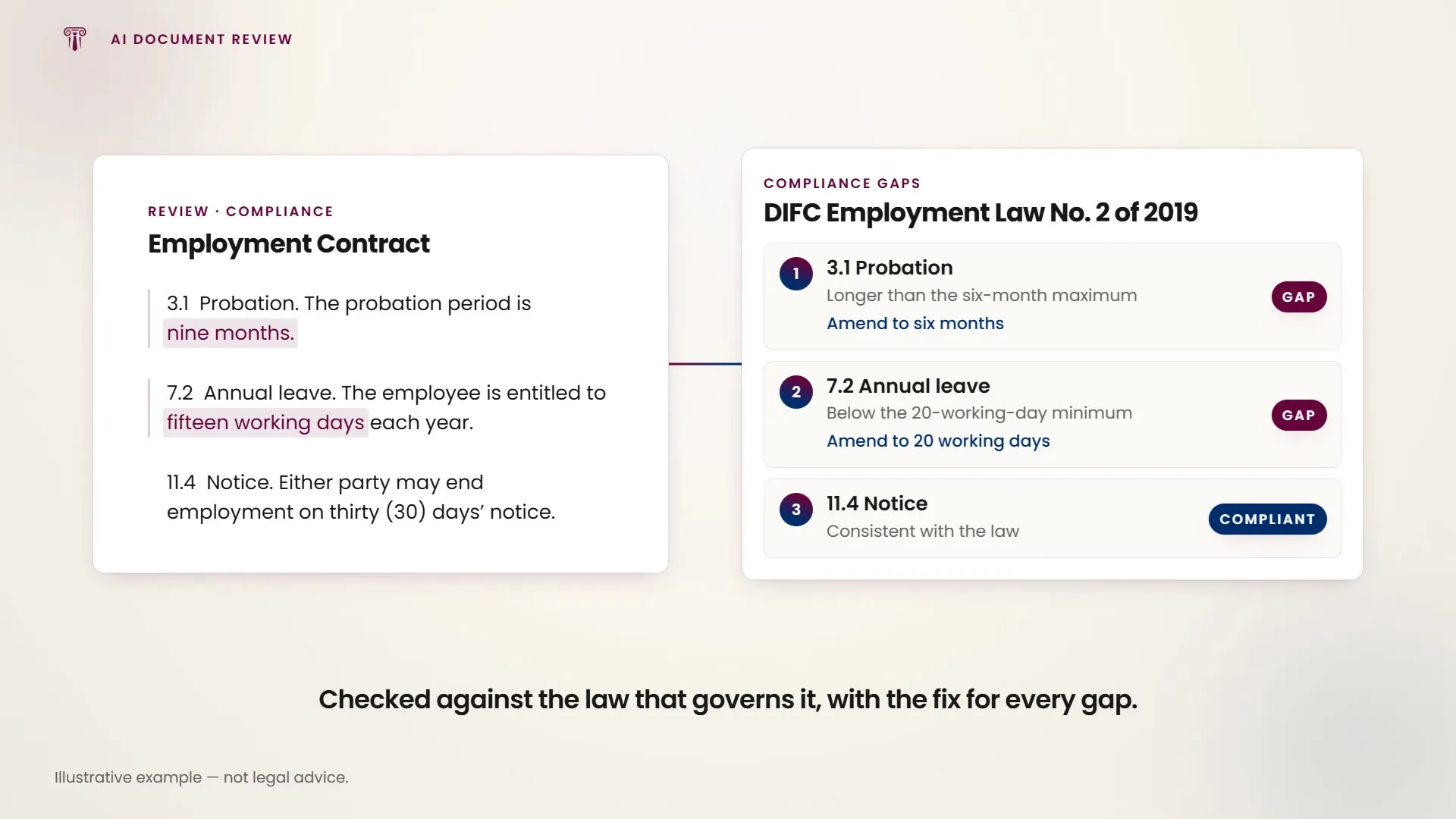
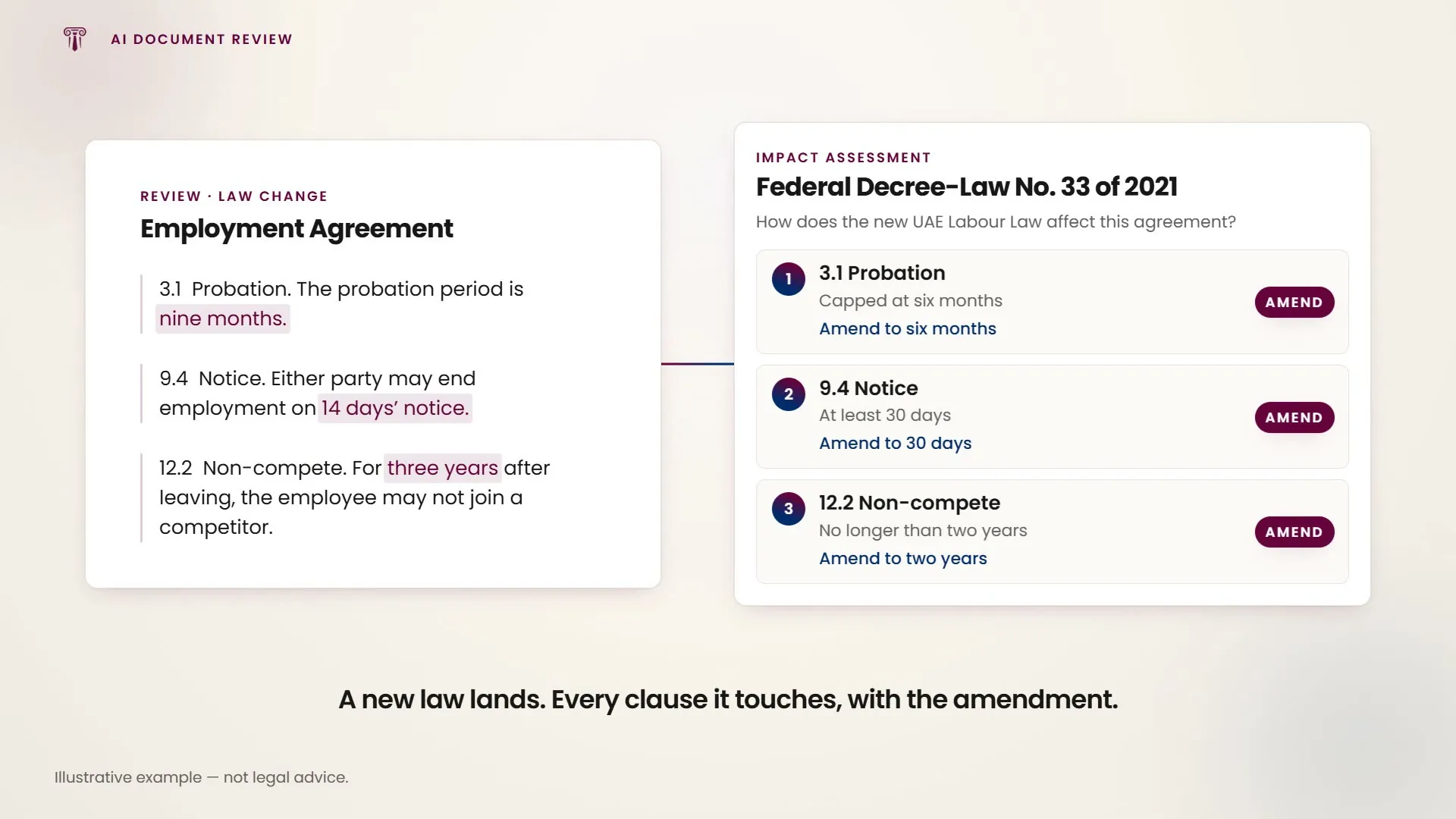
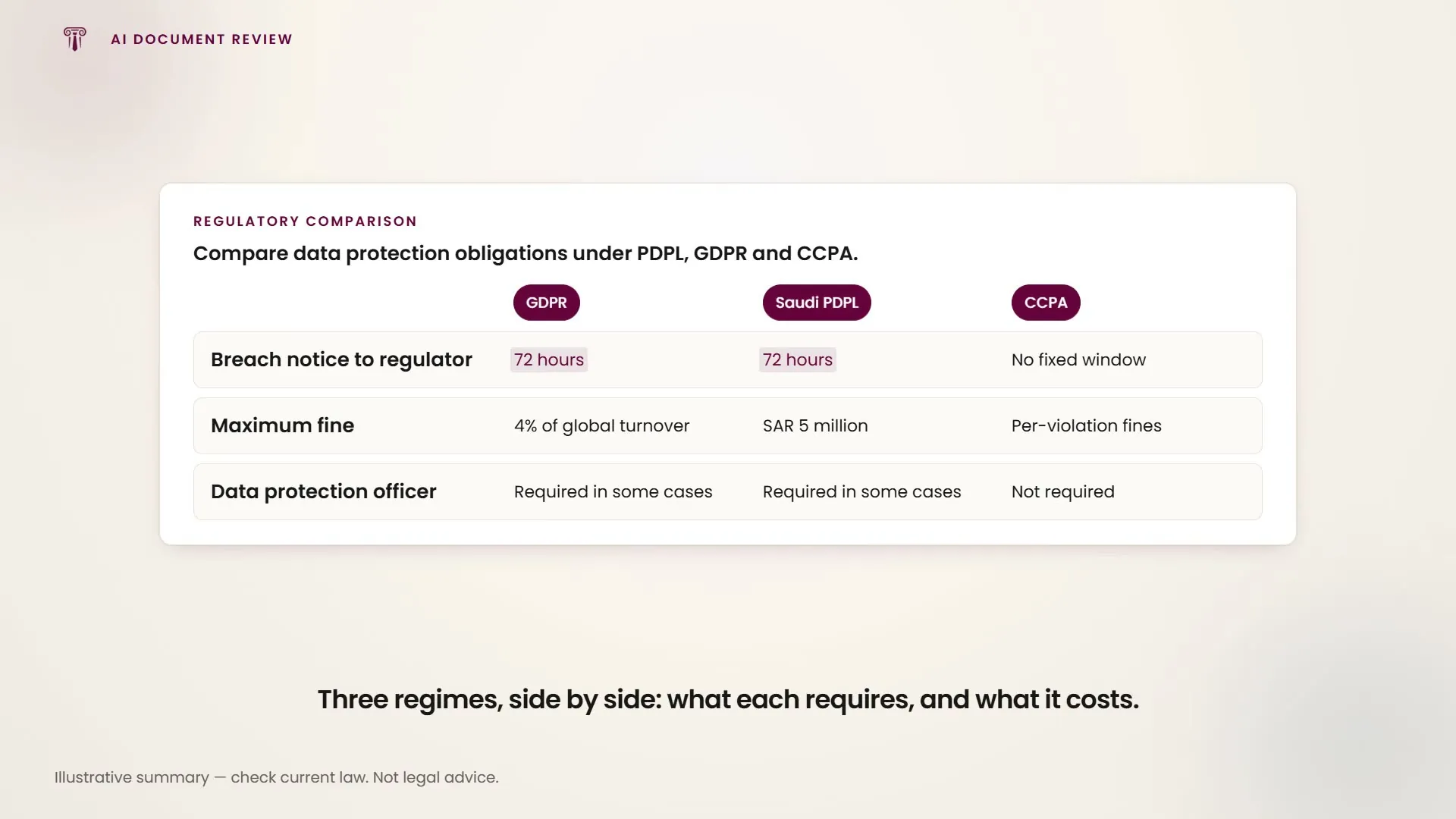
The AI reads laws across jurisdictions and languages. Compare provisions across multiple jurisdictions, assess compliance with a specific regulation, or flag non-compliant provisions against recent amendments.
| Capability | Example prompt | Output |
|---|---|---|
| Cross-jurisdiction comparison | Compare employee termination provisions in UAE, UK and France | Side-by-side table of notice periods, severance requirements and procedural obligations per jurisdiction |
| Compliance gap analysis | Flag provisions in this employment contract that don't comply with DIFC Employment Law No. 2/2019 | List of non-compliant clauses with specific law references and suggested amendments |
| Legislative update impact | How does the new UAE Labour Law (Federal Decree-Law No. 33/2021) affect this employment agreement? | Clause-by-clause impact assessment with required amendments |
| Regulatory comparison | Compare data protection obligations under PDPL, GDPR and CCPA | Comparative matrix of requirements, penalties and compliance thresholds |
In one line
Upload any document for clause-level review, redlining with track changes, fallback language generation, data room analysis and multi-jurisdictional legislative comparison.