

Leads
Business development is tracked in the same system as the legal work, so a prospect becomes a client without anything being re-entered.
Pipeline management for law firms
Leads in the left sidebar. The module tracks every prospective client from first contact to engagement. Both the sections a firm groups its leads into and the stages inside each section are defined by the firm, not a fixed list. They are built the same way as every other pipeline in eFirm, in Section Builder and Stages. The six stages below are one firm's own configuration, shown as a worked example, and filtering by stage is how you find where a pipeline is stuck.
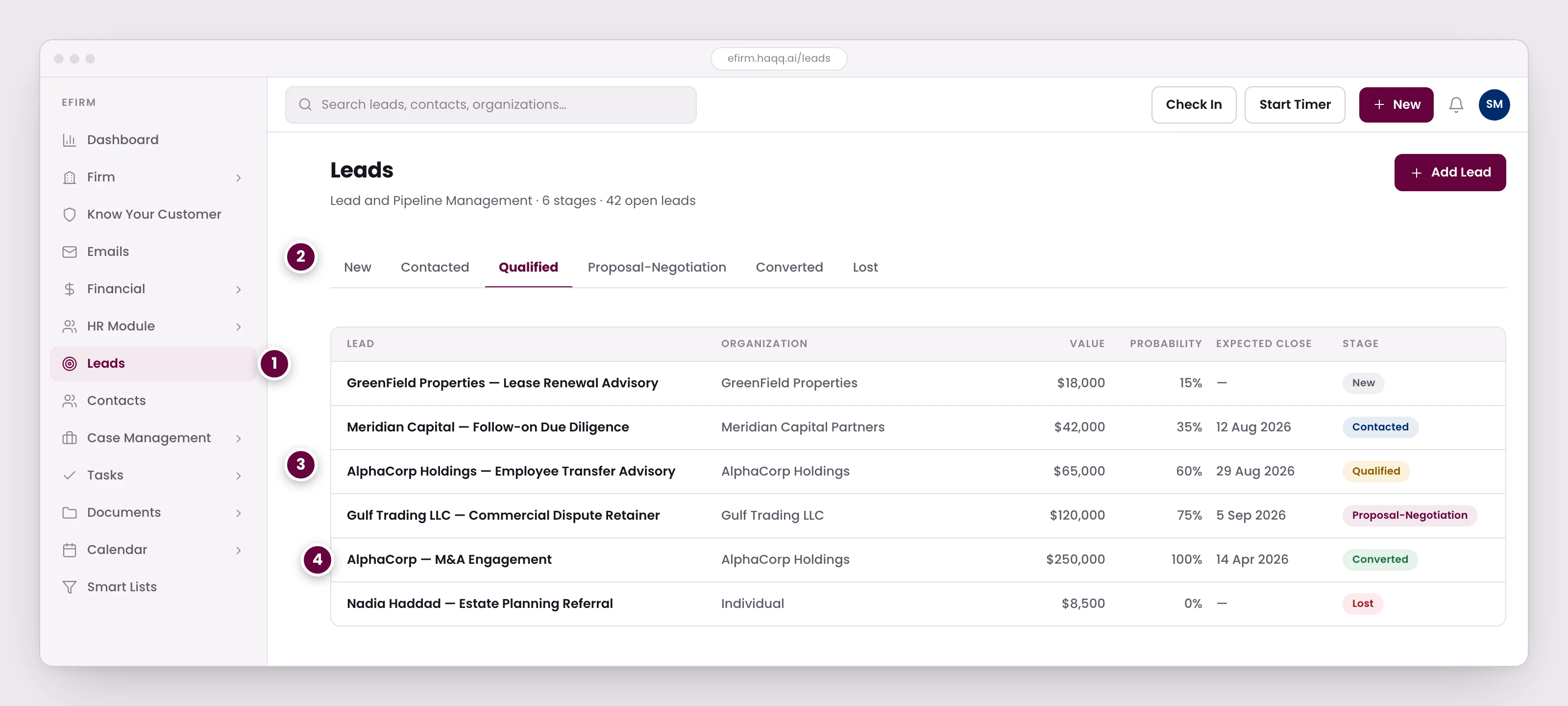
- Business development is tracked in the same system as the legal work, so a prospect becomes a client without anything being re-entered.
- Six stages from first contact to signed engagement. Filtering by stage is how you find where the pipeline is stuck.
- Value and probability together give the weighted pipeline. Expected close dates are what turn it into a forecast rather than a guess.
- Converting a lead creates the contact and the matter and carries the history across, once KYC and the conflict check have cleared.
The six stages
| Stage | Description |
|---|---|
| New Leads | Just entered the pipeline. No contact made yet. |
| Contacted Leads | Initial outreach completed. |
| Qualified Leads | Confirmed as a genuine opportunity. |
| Proposal / Negotiation | Engagement terms being discussed. |
| Converted Leads | Signed engagement. The lead becomes a matter. |
| Lost / Disqualified | Did not convert. Reason documented. |
What a lead record carries
| Field | Description |
|---|---|
| Title | Descriptive name for the opportunity. |
| Contact | Linked to an existing or new contact. |
| Organization | The company or entity. |
| Currency & Value | Estimated value of the engagement. |
| Pipeline Stage | Current stage, shown as a coloured badge. |
| Assigned Team Member | Who is responsible for follow-up. |
| Notes | Context, meeting notes, next steps. |
Turning a list into a forecast
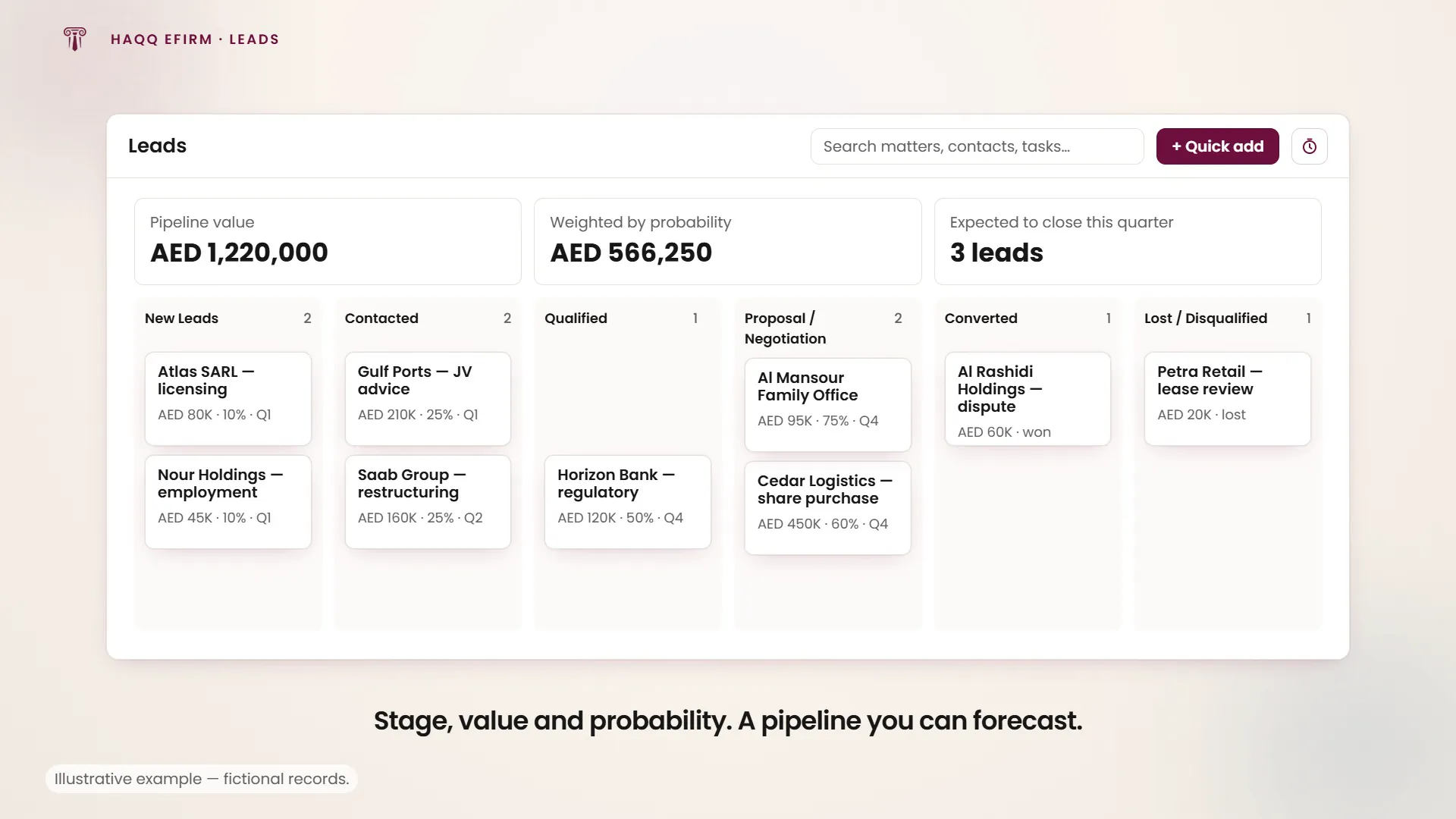
Value on its own is a wish list. Value and probability together give the weighted pipeline, and expected close dates are what turn it into a forecast rather than a guess: which quarter the work is expected to land in, not just that it might. The grid shows all three alongside stage, so a partner can read the pipeline without opening anything.
Converting a lead
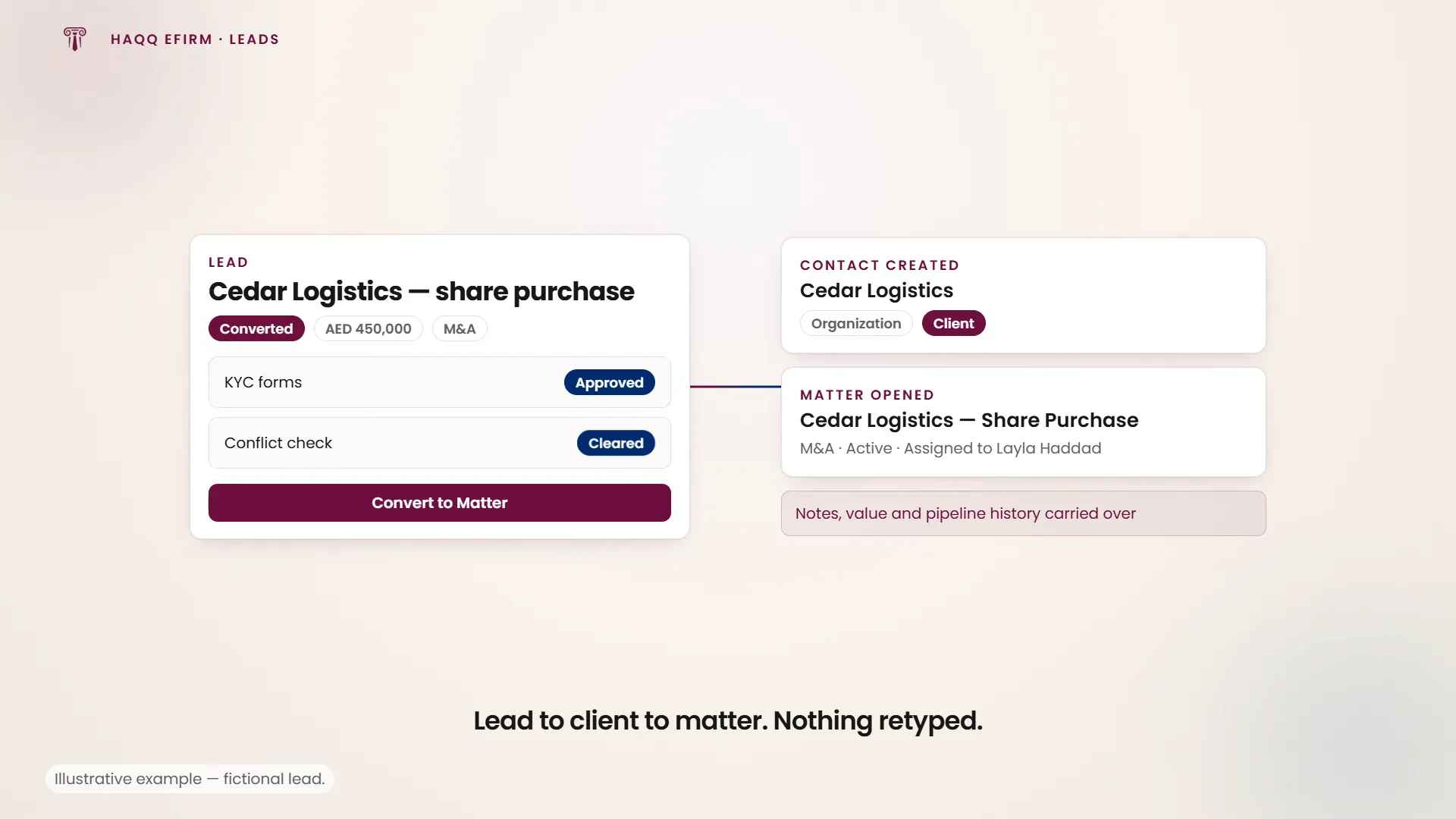
Converting a lead creates the contact and the matter and carries the history across, once KYC and the conflict check have cleared. Nothing is retyped and nothing is lost: the lead record keeps the full journey from first contact to conversion.
Converting a qualified M&A lead
A potential M&A client has signed the engagement letter. Open the lead, update its stage to Converted, complete the KYC compliance forms, run the conflict check, then click "Convert to Matter", select or create the Contact, fill in the matter details and save.
The result is a clean handoff from business development to active legal work, with the lead record still showing how the client arrived.
KYC and the conflict check are the gate. Both have to clear before conversion. Some firms also run Screening, an optional check against a public sanctions watchlist, mostly used by larger firms. The sequence, and what each step checks, is on KYC.
Why firms need this
Six questions the module answers that a spreadsheet does not:
- How many prospects sit in each stage right now.
- What the pipeline is worth in total, and what it is worth weighted by probability.
- Where conversion is stalling (which stage prospects go into and stop moving).
- Who owns each follow-up, and which follow-ups are overdue.
- How conversion rates move over time, not just where the pipeline stands today.
- Any slice of the above: filter by stage, value, assigned member or date, then export.
The Leads module carries the four permissions (Read, Create, Update and Delete) granted per role in Roles & Permissions. Exporting is a toolbar action on the list rather than a fifth permission, so it follows whatever a role can already read. That is worth remembering, since a full pipeline export is the firm's business-development plan in one file.
Where to go next
Clear compliance in KYC, label the new client in Contacts, and open the engagement in Legal Matters.