

Documents
Documents live in context. Each matter has its files, each contact has theirs, and firm-wide templates and policies sit alongside. Nothing is stored loose.
Where a file lives
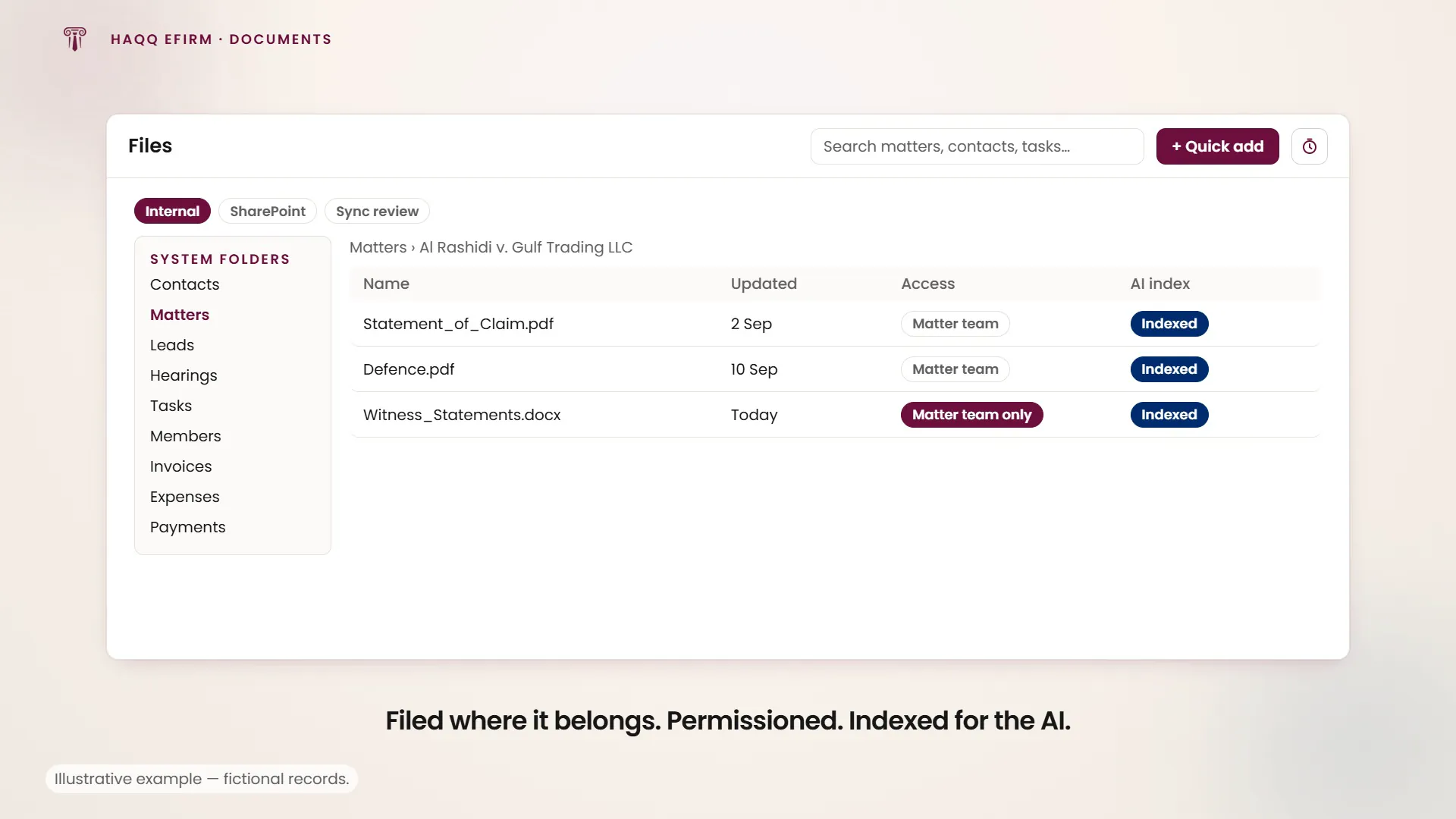
There is no single dumping ground. A document belongs to the record it concerns, and the path on the file shows which one. That is what makes it findable six months later by someone who was not on the matter.
| Location | What it holds | How it gets there |
|---|---|---|
| A matter's Files tab | Case-specific documents for one engagement | Drag-and-drop upload, or generated by AI drafting |
| A contact's documents | IDs, engagement letters, correspondence for a person or organisation | Uploaded on the contact record |
| Firm-wide | Templates, policies and shared resources | Uploaded once, available across the workspace |
| The SharePoint tab | Documents that stay in the firm's SharePoint | Linked in, not copied, via the Microsoft 365 integration |
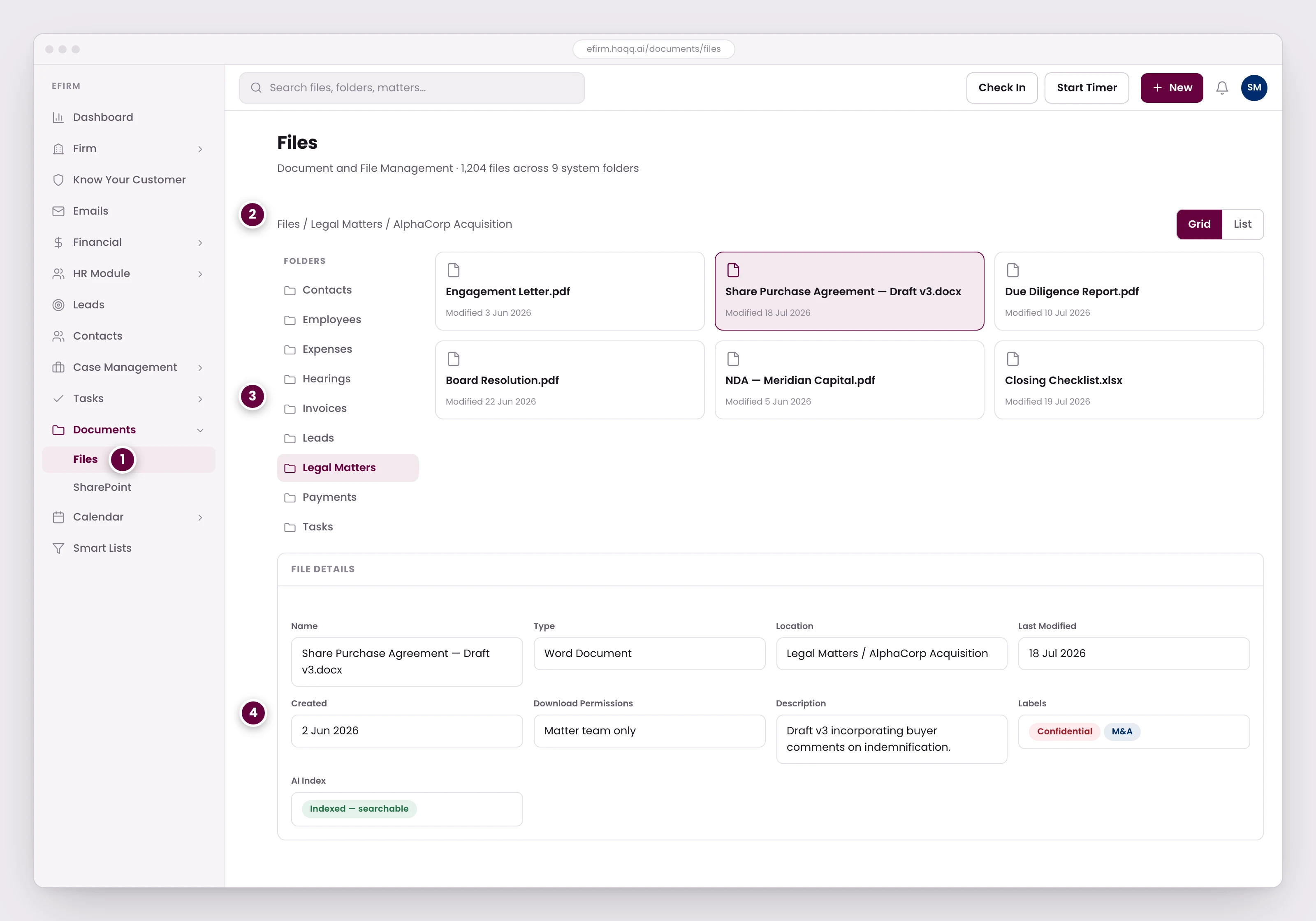
- Documents live in context. Each matter has its files, each contact has theirs, and firm-wide templates and policies sit alongside.
- The path shows which matter this file belongs to. Nothing is stored loose.
- Folders are provisioned per module rather than invented by whoever uploaded first, so files land in the same place across the firm.
- Permissions can restrict a single file to the matter team, and the AI Index field confirms it is searchable. That is what lets you send it for review, summarizing, or comparison against an earlier version.
Folders are provisioned, not invented
System folders are created per module rather than invented by whoever uploaded first, so files land in the same place across the firm. Firms add their own folders on top (Precedents is the usual first one), and those become the shelf the AI reads from. Which is why folder structure is worth agreeing once rather than per person.
Permissions and the AI index
Two fields on a document decide what happens to it. Permissions can restrict a single file to the matter team, so a sensitive document does not travel with the rest of the matter. The AI Index field confirms the file is searchable, so it can be sent for review, summarisation or comparison against an earlier version. The Documents module itself carries the four permissions (Read, Create, Update and Delete), granted per role in Roles & Permissions.
SharePoint integration
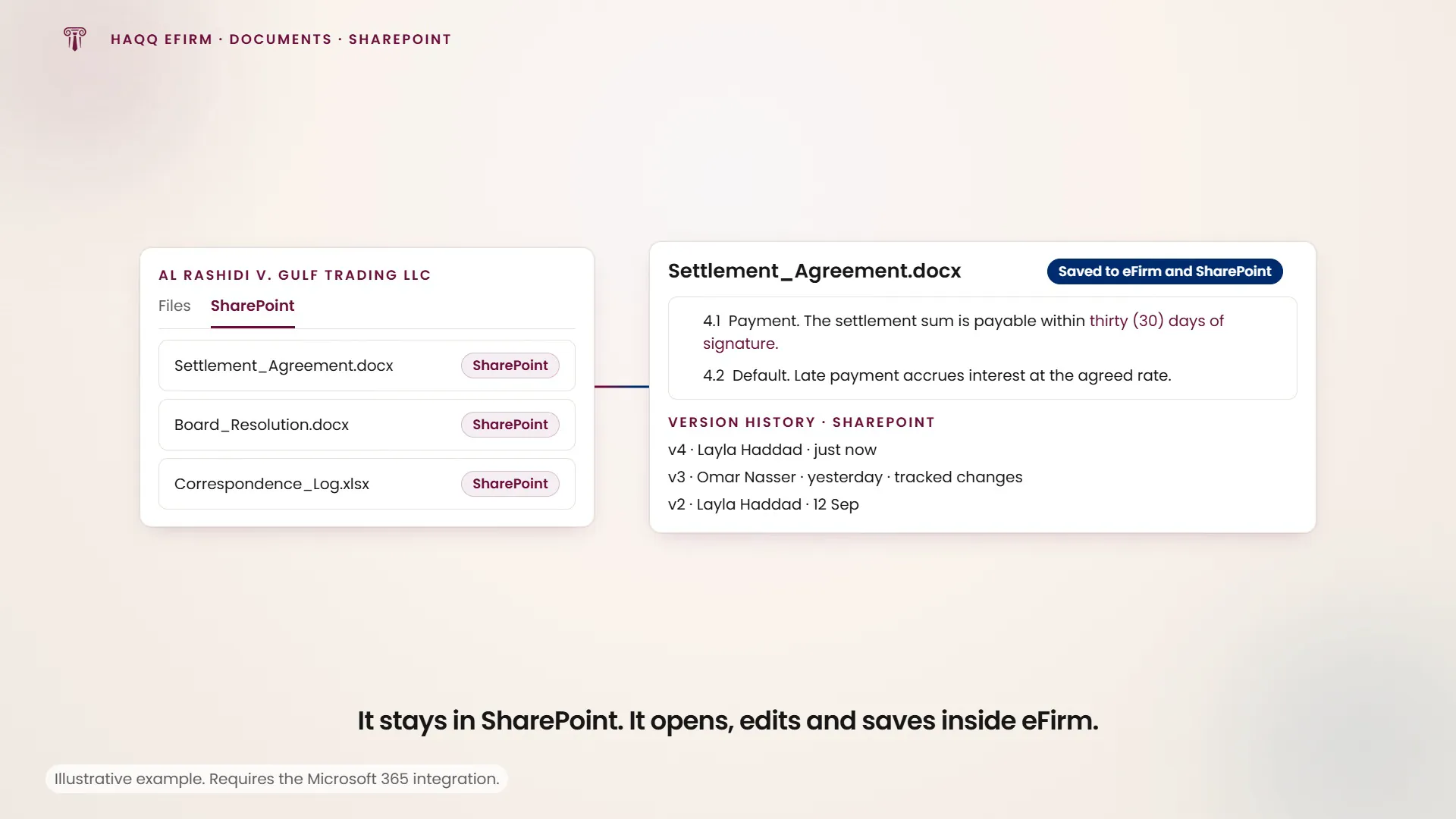
With the Microsoft 365 integration enabled, every matter and every contact gains a SharePoint tab. Link documents from the firm's SharePoint directly to matters and contacts: the documents remain in SharePoint but are accessible and searchable from within HAQQ. This is the path for firms that already run a document management workflow they do not intend to move. The integration is configured once at firm level. See Legal Market. SharePoint is the only document-storage integration eFirm connects to.
What linking SharePoint actually buys. Open a linked Word document and it opens and edits in place, inside eFirm, rather than as a download. Saving writes back to both eFirm and SharePoint at once, and an admin can open SharePoint and see the version history and track changes on it. That shows who changed the document, when, and what changed against the original. On internal storage the same document has to be downloaded, edited on the desktop and re-uploaded: there is no in-place edit and no track changes.
AI-powered document work
Every file uploaded to eFirm is automatically indexed and becomes searchable by Justinian. Send any document to the AI for review and risk analysis, summarisation, drafting from templates, or comparison between versions. The AI uses your document library as its knowledge base. The more you upload, the more of your own precedent it has to work from. How that indexing works, and what is worth feeding it, is on Legal Libraries.
Where to go next
See the engagement a file belongs to in Legal Matters, or what the AI does with it in AI Document Review.